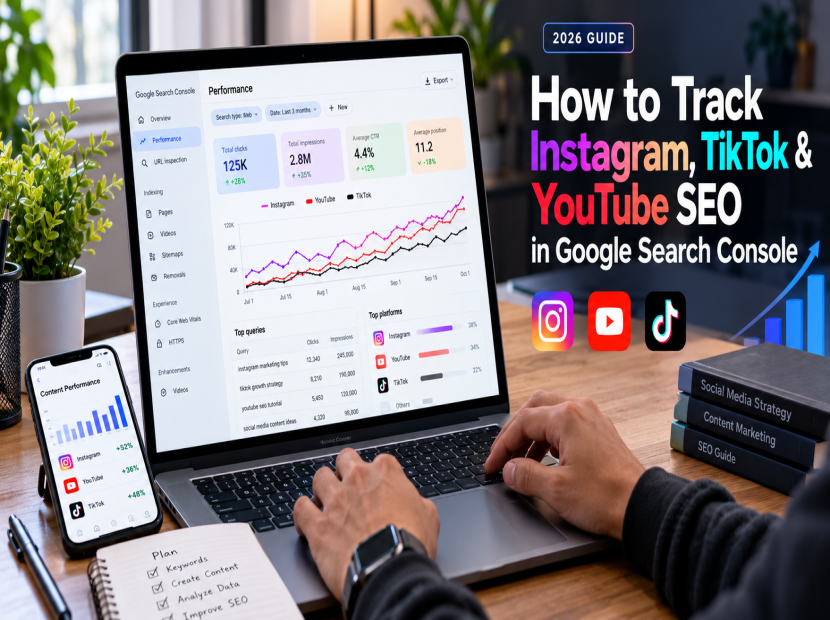
How to Track Instagram, TikTok & YouTube SEO in Google Search Console (2026 Guide)
Social media content is not discovered only inside social apps. People can also find public posts and videos through Google Search. In 2026, Google introduced platform properties in Search Console to help eligible creators and publishers understand how content on platforms such as Instagram, TikTok, YouTube and X performs in Google Search and Discover.
This guide explains how to check social content visibility, understand search queries, measure clicks and impressions, and use the data to improve your content strategy. Whether you are a creator, marketer, small business owner or agency, you can use this workflow to make more informed decisions.
Updated: October 9, 2026
What Is Social Media SEO?
Social media SEO means making your profiles and public content easier to discover through relevant searches. It includes using clear descriptions, relevant keywords, useful captions, descriptive video titles and content that answers real audience questions.
There are two related but different goals:
- In-platform discovery: Helping people discover your content through Instagram, TikTok or YouTube search and recommendation features.
- Search engine discovery: Helping eligible public profiles, posts and videos appear in Google Search results.
Success on one platform does not guarantee rankings on another. Each platform has its own systems, audience behavior and eligibility requirements.
What Changed in Google Search Console in 2026?
Google announced platform properties that allow creators and publishers to understand how supported social and video content performs in Google Search and Discover. Depending on the property and available reports, you can examine performance information, search queries and trends.
Read the official Google announcement about social and video platform reporting for the latest details.
Remember that Search Console measures discovery through Google Search; it is not a replacement for Instagram Insights, TikTok analytics or YouTube Studio. Use each platform's native analytics to understand what happens after people discover your content.
How to Set Up Social Platform Reporting
Step 1: Open Google Search Console
Visit Google Search Console and sign in to the Google account you use for your publishing or creator activity.
Step 2: Add a Platform Property
Open the property selector and choose the option to add a property. If a supported platform property is available for your account, select the relevant platform and follow Google's on-screen verification and authorization instructions.
Available options and eligibility may vary. If you cannot see a platform property, check the latest official Search Console documentation rather than assuming your account is broken.
Step 3: Complete the Required Verification
Follow the instructions displayed by Google. Only authorize accounts and properties that you own or are permitted to manage. Never share your password or verification codes with a third party.
Step 4: Open the Performance Report
Once data becomes available, inspect the Performance report. Look for the search queries, content pages or posts, impressions and clicks provided for your property. Some reports or dimensions may not be available for every platform.
Step 5: Review the Insights Report
Where available, use Insights to identify content trends and posts attracting attention from Google Search. Compare reporting periods before deciding whether a change in performance is meaningful.
Which Social Media SEO Metrics Should You Track?
Impressions
Impressions indicate how often your content appeared in the relevant Google Search reporting context. More impressions can indicate growing visibility, but they do not automatically mean that more people visited your profile or website.
Clicks
Clicks measure visits generated from search results in the report's context. Review which queries and pieces of content attract clicks, then make sure the content delivers what the searcher expected.
Click-Through Rate (CTR)
CTR is the percentage of impressions that resulted in clicks. If a result receives impressions but few clicks, review its relevance, title, description and the intent behind the query. Not every platform report provides every metric.
Search Queries
Queries reveal the language people use to discover your content. Group related queries by topic, such as tutorials, product comparisons, beginner questions and troubleshooting. Use these patterns to plan future posts and videos.
Content Trends
Compare recent performance with an appropriate earlier period. Look for posts gaining traction, topics losing interest and content that continues to attract search traffic after publication.
How to Improve Instagram SEO
Instagram SEO starts with making your profile and content understandable to both people and search systems. Focus on clarity and relevance rather than repeating keywords unnaturally.
- Use a clear profile name and bio that accurately describe your niche.
- Write captions that naturally include the phrases your audience uses.
- Make the subject of each Reel or post immediately clear.
- Add accurate alternative text when it is available and useful for accessibility.
- Publish original content that answers a specific question or provides a useful example.
- Review Instagram's own professional dashboard and Insights for current account-specific guidance.
For additional guidance, visit Instagram's official Best Practices education hub announcement.
How to Improve TikTok SEO
TikTok search optimization is about making each video relevant to the question or topic a viewer is exploring. A clear topic and useful video are more important than adding a large number of unrelated keywords.
- Choose one clear search intent for each video.
- Use an accurate caption and relevant terms without repetitive keyword stuffing.
- Make the topic clear through the video itself and its on-screen text where appropriate.
- Use relevant hashtags as context, not as a substitute for useful content.
- Review TikTok's native analytics and available search insights to understand how viewers find your videos.
Do not assume that Google visibility and TikTok search rankings use identical signals. Measure them separately.
How to Improve YouTube SEO
YouTube SEO helps viewers understand what a video offers and helps the platform connect relevant content with interested audiences. Clear titles, useful descriptions and an accurate thumbnail all contribute to a better viewing experience.
- Write a descriptive video title that matches the content and search intent.
- Use the description to explain what viewers will learn.
- Organize longer videos with chapters when useful.
- Create a readable, relevant thumbnail that accurately represents the video.
- Use YouTube Studio to examine impressions, click-through rate, watch time and traffic sources where available.
- Update older videos when you can add genuinely useful information, examples or clearer explanations.
A Simple Weekly Social SEO Workflow
Use this practical weekly routine to turn search performance data into better content decisions.
- Monday — Review: Review search queries and identify topics people are already discovering.
- Tuesday — Plan: Select one question and plan an original post or video that answers it.
- Wednesday — Optimize: Improve the title, caption, description and accessibility details.
- Thursday — Publish and engage: Share the content with a relevant audience and respond to genuine questions.
- Friday — Analyze: Review available search data and native platform analytics.
- End of the month — Compare: Compare results, document what changed and decide what to test next.
Social Media SEO Tracking Template
Keep a simple record of the following details for each post or video:
- Platform and content URL
- Target topic or search intent
- Reporting period
- Search impressions and clicks, when available
- Native platform views and engagement
- What changed and what you will test next
Common Social Media SEO Mistakes to Avoid
Expecting Instant Data
Reporting may take time to populate and can have eligibility or availability limits. Check the reporting period and available documentation before drawing conclusions.
Mixing Different Metrics
Google Search clicks and social platform views measure different things. Keep them separate when evaluating performance so you can understand where discovery is happening.
Chasing Keywords Without Search Intent
A keyword is useful only when your content genuinely answers the searcher's question. Understand the purpose behind a query before creating or optimizing content for it.
Stuffing Captions with Keywords
Repeating keywords unnaturally can make content difficult to read. Write clear captions that explain the content and use relevant phrases naturally.
Changing Everything at Once
If you change the title, caption, format and topic at the same time, it becomes harder to understand which change affected performance. Test a small number of meaningful changes and compare results.
Assuming Every Post Is Indexed
Public availability does not guarantee that a page will be indexed or rank in Google. Focus on useful original content and verify visibility through available search reports.
Buying Engagement as an SEO Shortcut
Artificial activity does not replace relevance, original content or a real audience. Build a strategy around useful information, genuine engagement and accurate performance measurement.
Frequently Asked Questions
Can Google Search Console Track Instagram Posts?
Google announced platform properties for supported social and video platforms, including Instagram. Availability, verification and report details depend on Google's current implementation and eligibility requirements.
Can I Track TikTok and YouTube Content in Google Search Console?
Google announced platform properties for TikTok and YouTube as well. Check the current property selector and official documentation to confirm the options available to your account.
Does Google Search Console Show All Social Media Views?
No. Search Console focuses on Google Search performance in its reporting context. Use Instagram Insights, TikTok analytics and YouTube Studio for native platform metrics.
How Long Does Social Media SEO Take to Work?
There is no guaranteed timeline. Visibility depends on factors such as content relevance, competition, platform eligibility, audience demand and whether the content is indexed or surfaced by the relevant system. Measure progress over time instead of relying on a fixed promise.
Will Adding Keywords Guarantee a Number-One Ranking?
No. Keywords help communicate relevance, but they do not guarantee rankings. Focus on useful original content, accurate metadata, a clear user experience and ongoing measurement.
Should I Use the Same Content on Every Platform?
You can repurpose a core idea, but adapt the format, opening, caption and audience value to each platform. Avoid publishing duplicate content without adding context or value.
Final Thoughts
Social media SEO is easier to improve when you measure discovery instead of guessing. Use Google Search Console to understand available Google Search data, then combine those findings with each platform's native analytics to learn what attracts attention and keeps audiences engaged.
Start with one platform, review the queries and content that already perform, and publish a useful follow-up. Repeat the process consistently and let measured results guide your next experiment.
Explore more social media marketing guides on Any Social Media to continue building a practical, data-driven growth strategy.